
Tools to Collect Instant Customer Feedback with Emojis (And Actually Analyze It)
A step-by-step guide to collecting real-time emoji-based customer feedback and turning it into actionable insights using Feedaura - no coding required.
Most feedback forms are ignored. But ask someone to tap an emoji - and they respond instantly.
In this guide, you'll learn how to collect emoji-based feedback and analyze every response using Feedaura - in under 5 minutes.
Step 1: Create a Project on Feedaura
Sign up at feedaura.in and hit "New Project". Give it a name, save it, and Feedaura instantly generates a shareable feedback form link for your project.
Copy that link from your project settings.
Step 2: Share the Link & Collect Feedback
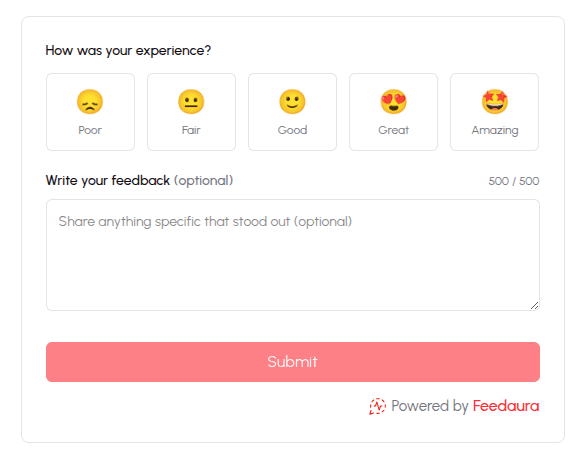
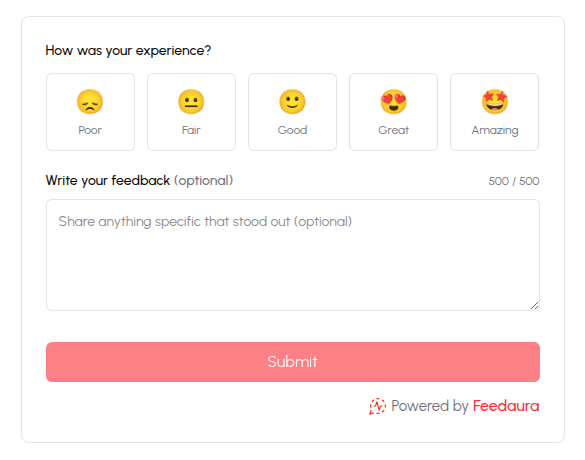
Paste the link anywhere - email, WhatsApp, Twitter, or your website. Anyone who clicks it lands on a clean feedback form and can respond in seconds with an emoji reaction and an optional comment.
No login needed on their end. No widget, no embed, no setup.
Step 3: Analyze Everything on Your Dashboard
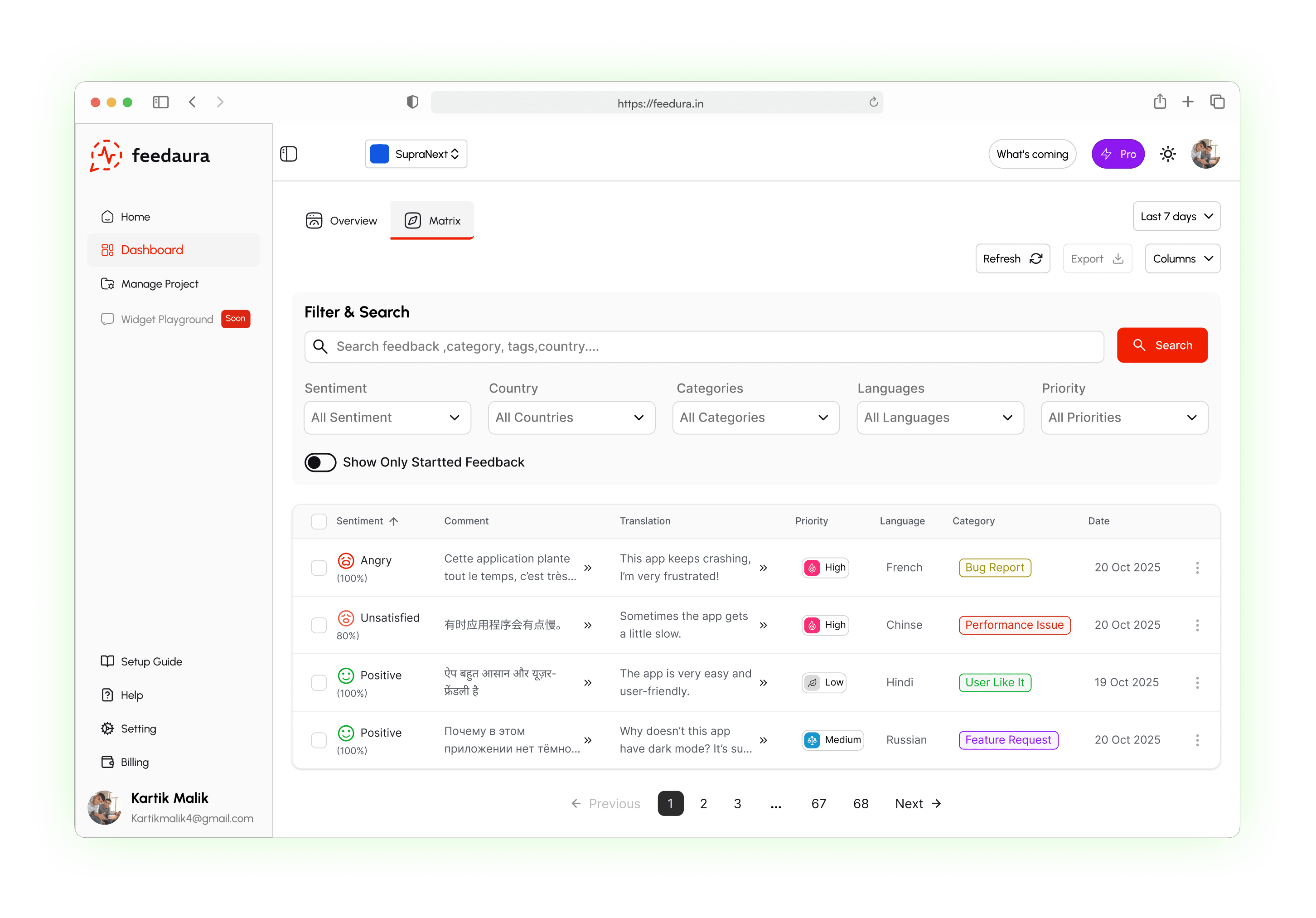
Head to your project dashboard at https://feedaura.in/dashboard/projects/:id
Feedaura's AI automatically breaks down every response - sentiment, categories, trends, and keyword highlights. You see exactly what your users feel and why.
That's it. Share a link, collect emoji feedback, and let Feedaura do the analysis.
Looking for a more traditional visual approach? You can also create a feedback form with star rating to capture standard performance metrics while maintaining the same high response rates.
Start for free at feedaura.in - no credit card required.