

3 Best Research Tools for Visual Feedback in Web Development Projects (2026)
Struggling to collect and make sense of visual feedback on your web project? Here are the 3 best research tools for visual feedback in web development - starting with the only one that adds AI interpretation on top of collection.
If you're looking for the best research tools for visual feedback in web development projects, you already know the problem: clients send vague emails, developers get screenshots with no context, and no one agrees on what "fix the button" actually means. The tools that solve this are not the same - and picking the wrong category wastes weeks.
This guide breaks down the 3 best tools for collecting, interpreting, and acting on visual feedback in web development in 2026 - starting with the only one that doesn't just collect feedback but tells you what it means.
Why visual feedback tools matter in web development
Text-based feedback is broken by design. Studies show that unclear or text-only feedback increases bug reproduction time by 30–50%, and 68% of developers cite missing context as the primary blocker when resolving reported issues.
Research tools for visual feedback in web development projects solve this by letting users and clients point directly at the problem - on the live site, in the browser, in the exact moment it happens - while automatically capturing the browser, OS, screen size, URL, and scroll position alongside their comment.
The result: fewer back-and-forth messages, faster fixes, and a feedback loop that actually closes.
But here's the nuance most comparison guides miss: not all visual feedback tools solve the same problem. There are two fundamentally different use cases:
- Development-phase feedback - agencies and dev teams collecting structured annotations from clients before or during launch (BugHerd, Marker.io)
- Live-product feedback - product teams and founders collecting ongoing feedback from real users on a live site, then interpreting that feedback at scale
If you're building a product and need to understand why users behave the way they do - not just file a bug ticket - you need the second category. That's where Feedaura lives.
1. Feedaura - Best for AI-Powered Visual Feedback Research ⭐
Feedaura is the strongest research tool for visual feedback in web development projects when your goal goes beyond bug collection. It's built for founders, product teams, and small businesses who need feedback from real users on live websites - and who need that feedback to actually *mean something*.
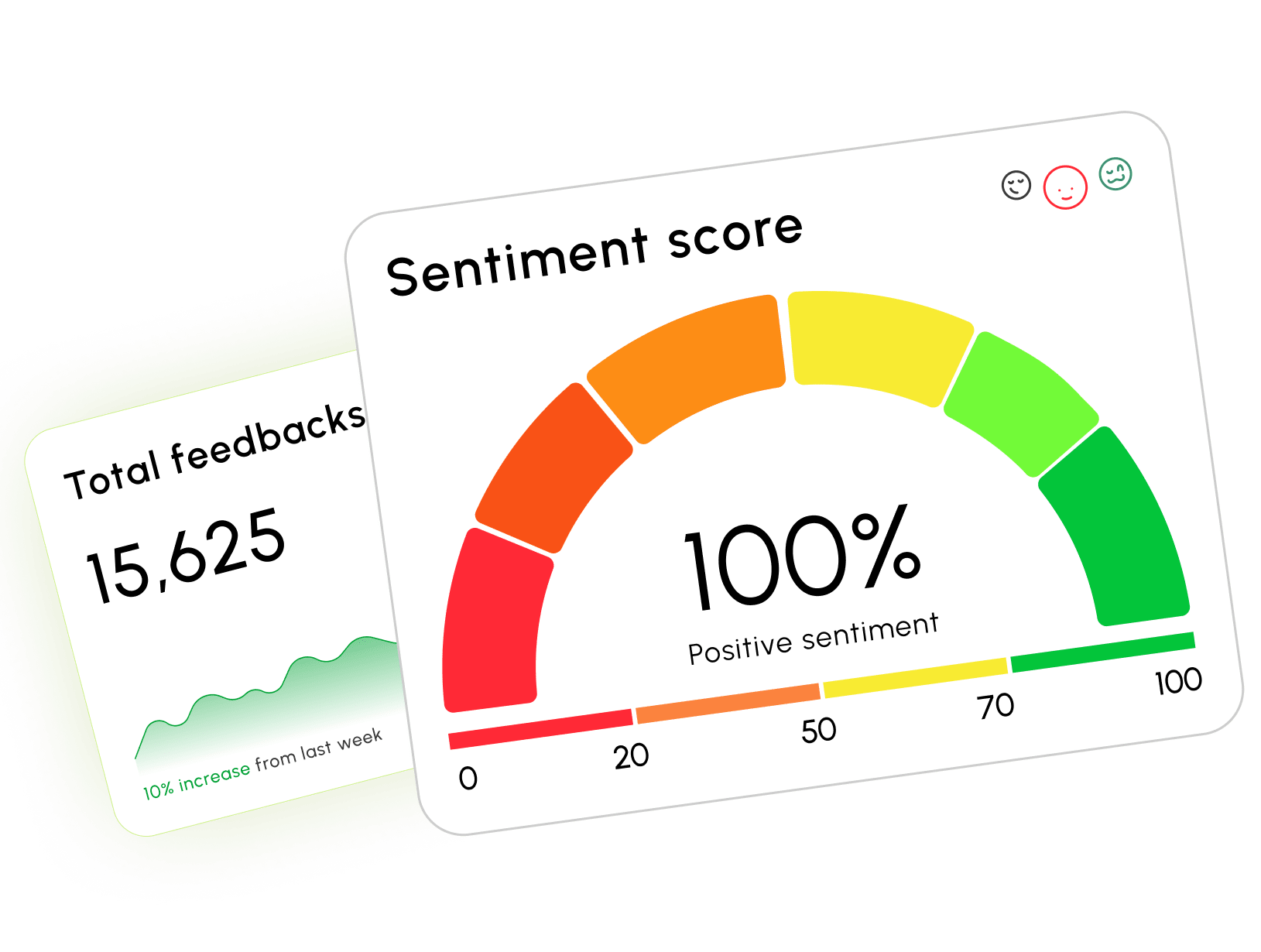
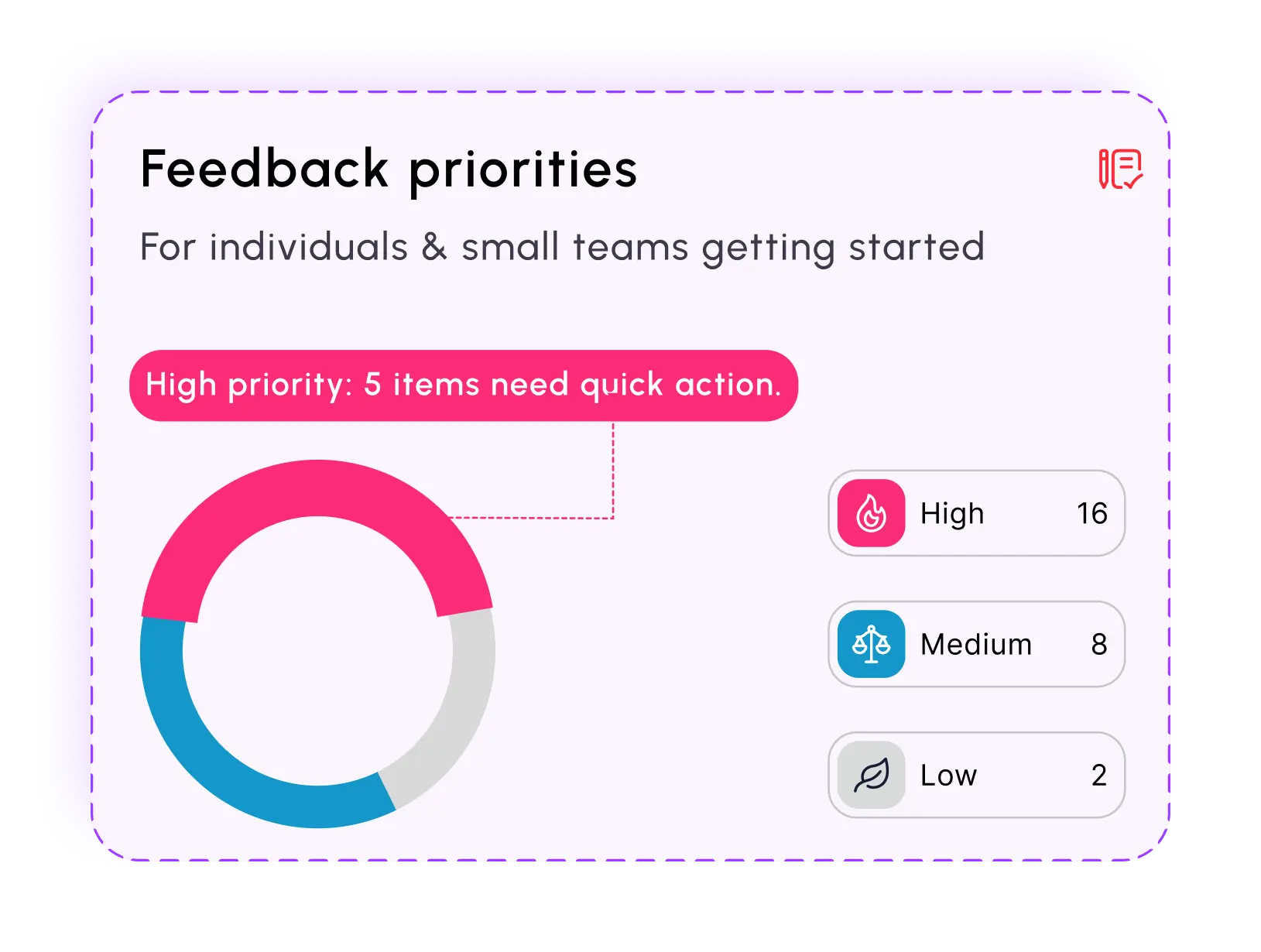
Where other tools hand you a list of comments, Feedaura hands you interpretation. The AI engine automatically categorizes every piece of feedback (bugs, pricing, UI friction, feature requests), tracks sentiment over time, spots emerging trends before they escalate, and flags critical issues in real time so nothing slips through.
Setup is one script tag. It works on any website or framework - React, Next.js, Vue, plain HTML - and goes live in under 60 seconds. No developer needed, no onboarding call, no configuration overhead.
The customizable feedback widget sits natively on your site without affecting load time. Users can submit text, ratings, or multi-choice responses. Feedaura then enriches every submission with invisible contextual metadata: country-level location, OS, browser, screen resolution, and the exact source page - the same technical context that makes bug reports reproducible, applied automatically to every feedback entry.
What makes Feedaura different for web development research
Most visual feedback tools for web development tell you *what users said. Feedaura tells you why it matters*:
- Auto-tagging and categorization - every response is tagged by topic (UI, bugs, pricing, performance) and sentiment (positive, neutral, frustrated) without manual review
- Sentiment trend analysis - track how user satisfaction shifts over time as you ship updates, so you can measure the actual impact of design changes
- 30+ language AI translation - global users submit in their native language; Feedaura surfaces the insight in yours
- AI feedback refinement - fragmented or unclear responses are clarified by the AI so they become actionable
- Weekly AI insight reports - a generated summary of the week's feedback plus a suggested roadmap for the week ahead
- Real-time critical alerts - instant Discord and Telegram notifications when high-priority negative feedback comes in, so you catch UX crises before they compound
- QR codes for offline feedback - collect feedback from physical touchpoints (events, offices, printed materials) and pull it into the same dashboard
Pricing
The free plan requires no credit card and has no hard response limits. Pro is $19/month - significantly cheaper than most visual feedback tools - and unlocks unlimited responses, advanced AI analytics, CSV/PDF export, and up to 3 projects.
For web development teams who ship fast and need to understand the impact of what they ship, Feedaura is the clearest upgrade.
Try Feedaura free - no credit card required
2. BugHerd - Best for Client Annotation During Development
If you're an agency or freelancer managing a client website build, BugHerd is the category leader for development-phase visual feedback. It lets clients click directly on any element of the live or staging site and drop a pin - like a sticky note - tied to that exact element.
Every comment automatically captures a screenshot plus full technical metadata: browser, OS, screen resolution, and URL. That context goes directly into a built-in Kanban task board, turning each piece of client feedback into a developer-ready ticket without any manual translation.
BugHerd integrates deeply with Jira, Asana, Trello, and other project management tools, so developers never have to leave their existing workflow to see and act on client comments.
The trade-off: BugHerd is designed for the development and QA phase - collecting structured annotation from known stakeholders before or during launch. It is not built for ongoing feedback research from anonymous live users at scale. There's no AI interpretation layer, no sentiment tracking, and no trend analysis. Once your site is live and you need to understand how real users experience it over time, BugHerd's workflow doesn't extend there.
When working with clients across different regions, especially in competitive markets like the U.S., structured feedback tools become even more critical. For example, agencies offering Web design Arkansas↗ services often rely on platforms like BugHerd to streamline client communication, reduce revision cycles, and ensure every design detail aligns with client expectations before launch. This approach not only speeds up delivery but also improves overall project clarity and client satisfaction.
Pricing: Starts at $39/month. A free trial is available.
Best for: web agencies and freelancers managing client review cycles during active development.
3. Marker.io - Best for Bug Reporting with Dev Integrations
Marker.io sits between client-facing annotation and internal QA tooling. It offers visual bug reporting via a browser extension or script tag, with strong automatic technical capture - network logs, session replay, console errors, browser/OS metadata - that helps developers reproduce issues faster without asking for additional context.
One standout feature is the ability to create separate feedback forms for internal teams vs. clients, giving developers more granular options (assignment, priority tagging) while keeping the client experience simple.
Marker.io integrates deeply with Linear, Jira, GitHub Issues, ClickUp, and Trello - making it particularly strong for engineering-led teams who want feedback flowing directly into their existing issue tracker with zero manual entry.
The trade-off: Clients need to create accounts and log into a separate portal to collaborate - a friction point that can reduce adoption among less technical stakeholders. Like BugHerd, Marker.io is built for the development phase, not for ongoing web development feedback research from live users. There's no AI categorization, no sentiment analysis, and no insight layer above raw annotations.
Pricing: Starts at around $39/month. Free trial available.
Best for: engineering teams and technical agencies that need rich bug context and tight integration with dev tooling.
Bottom line
For development-phase annotation with clients, BugHerd and Marker.io are both excellent - choose BugHerd for client simplicity, Marker.io for dev-tool integration depth.
But if you're building a live web product and need visual feedback research that goes beyond collecting comments - that interprets sentiment, spots trends, flags crises, and tells you what to fix next - Feedaura is the only tool in this list that does the thinking for you. Better AI, simpler setup, lower price, and a free plan that actually lets you get started without a credit card.